
The job’s finished.The paperwork isn’t.
Out The Van turns the job details you type, say or upload into quotes, invoices and admin ready for you to check.
Five o’clock on site
The van’s packed. The day isn’t over.
Good work gets done on site. The bit that follows you home is the quote you haven’t written, the receipt still in the door pocket and the invoice that should have gone last week.
- DoneJob 1 of 1
Finished on site
Tools away, floor swept, customer happy.
- Still to doTomorrow’s job
Quote still unwritten
The measurements are in your head and on a bit of plasterboard.
- Still to doMerchant, this morning
Receipt still in the van
Along with three others from last week.
- Still to doLast week’s job
Invoice still unsent
Finished, signed off, and not a penny asked for yet.
- Still to doEnquiry from Monday
Customer still waiting
They rang while you were up a ladder. They may have rung someone else since.
Out The Van keeps the paperwork moving while you stay in control.
Tell it about the job — in the van, on the way home, wherever. It prepares the document from your saved details and rates. You read it, change what you like, and send it when you’re ready. Nothing goes to a customer without you.
How it works
From job details to paperwork ready to check
Tell it about the job. Check what it prepares. Send it when you’re ready.
-
Tell it about the job
Type it, say it, or attach what you’ve already got — a photo of your notes, a scope of works, a drawing pack.
-
Check what it prepares
It uses your saved business details, rates and the information you gave it. If something important is missing, it asks or leaves it blank.
-
Send it when you’re ready
Read the details, make changes, then copy it into a message, share it, download the PDF or send a link. Your name, your call.
Six jobs, one phone
Watch a job go through
Every screen below is the real app, with demonstration data for a fictional joinery business. Scroll and follow along.
-
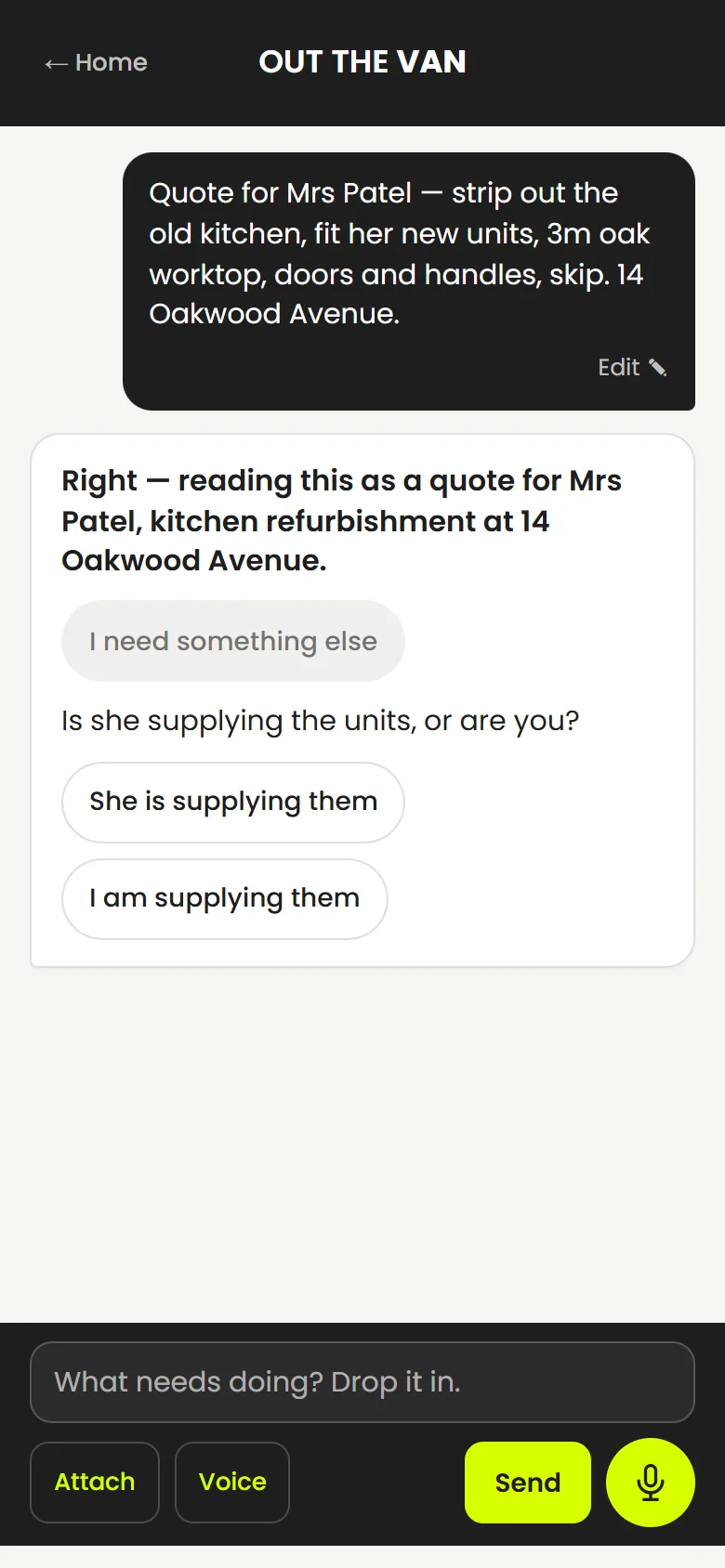
Speak the job
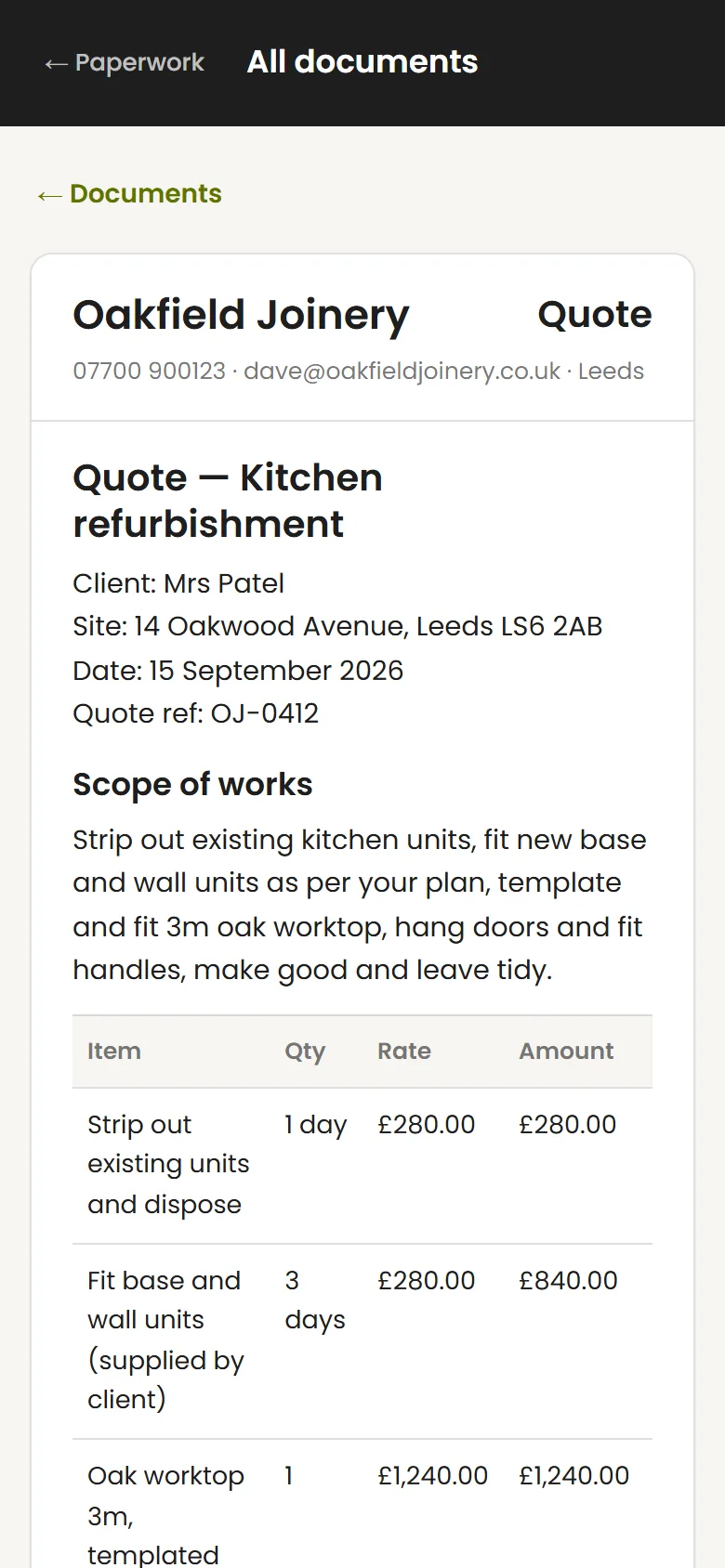
Describe the work, get an itemised quote
Say what the job is on the way back to the van. Out The Van reads it back to you, asks the one thing it needs to know, and prepares the quote from your saved rates.
-
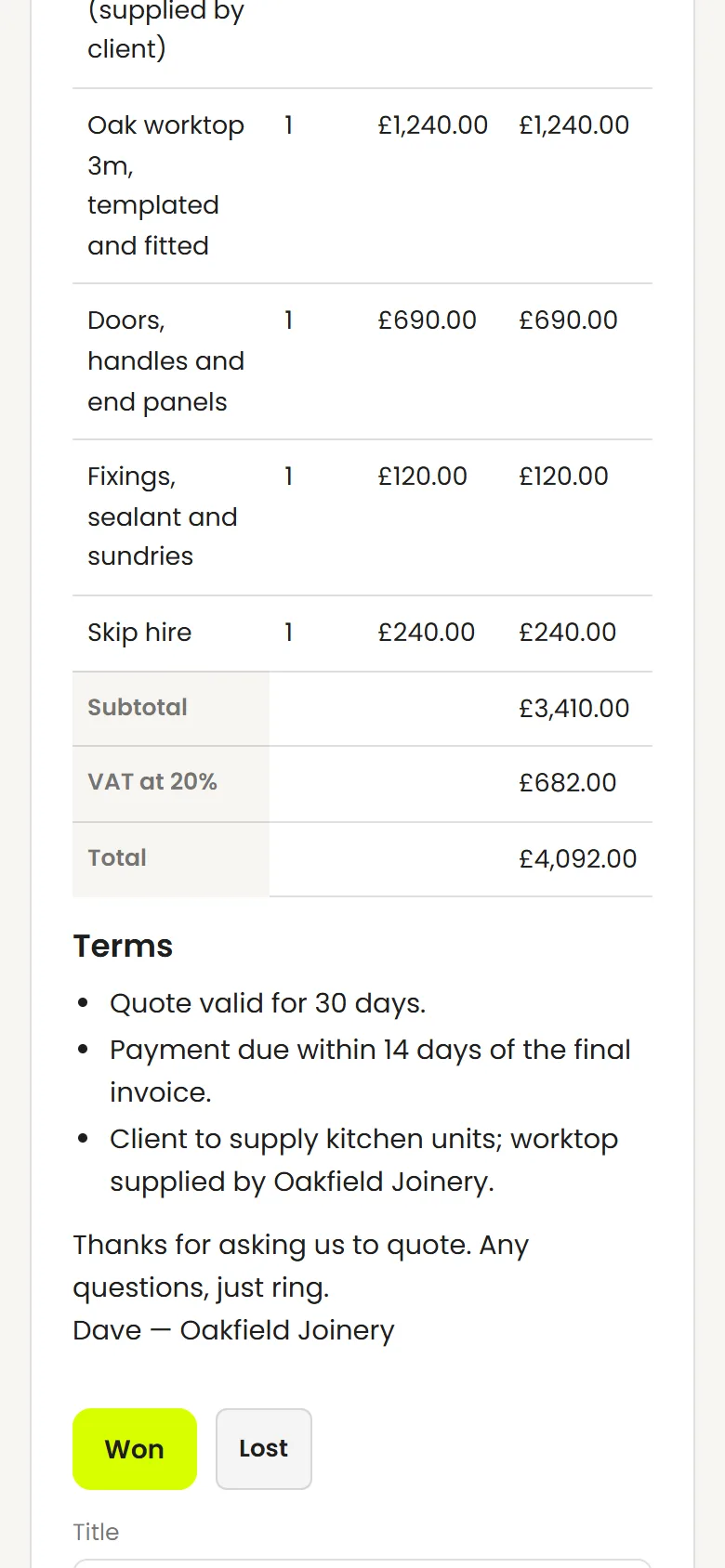
Quote accepted
Mark it won, book it in
When a quote is accepted, the job is created from it — client, site, the lot. Pick a date and it sits in the diary with a time window.
-
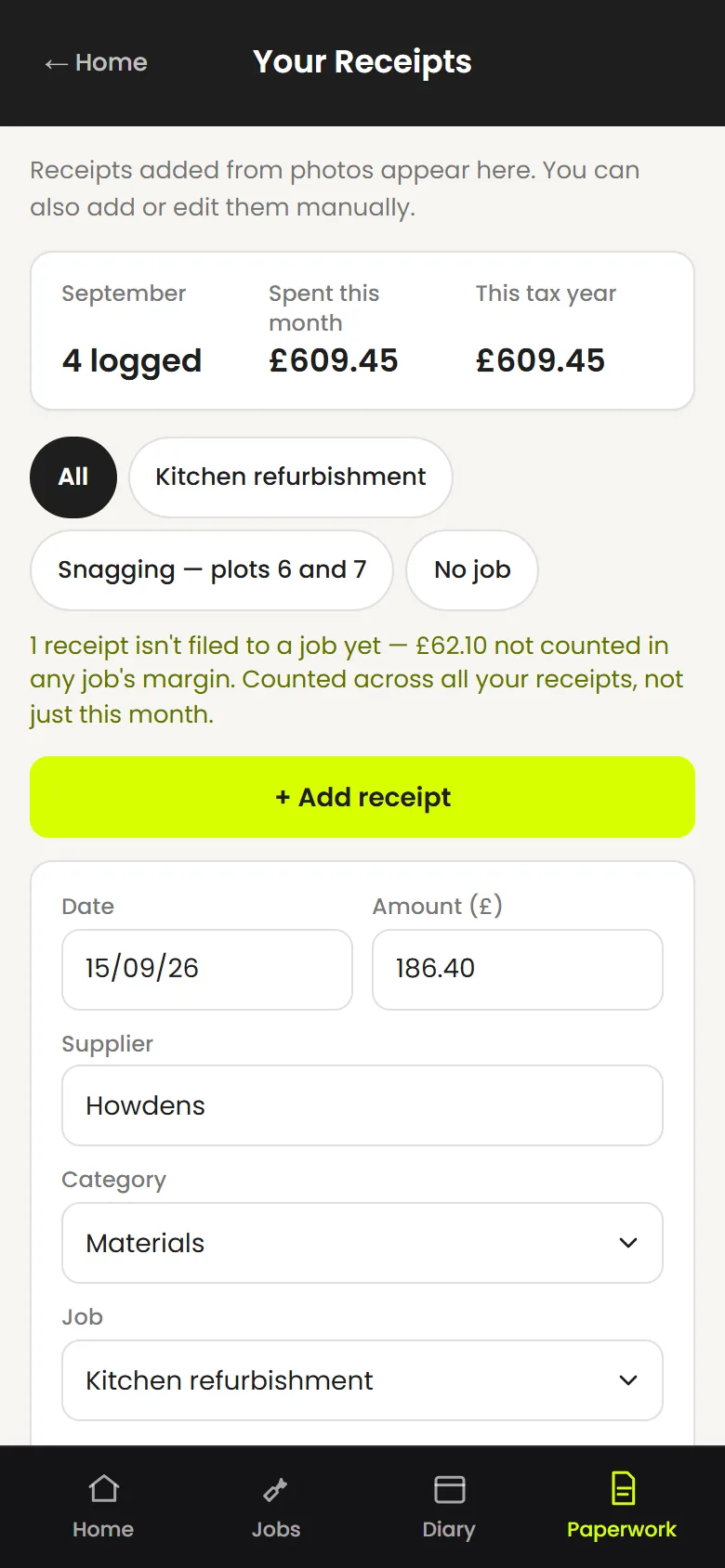
Receipt in the van
Photograph it, check it, file it to the job
The supplier, amount and date are read off the receipt for you to check. File it to a job and it counts towards that job’s costs.
-
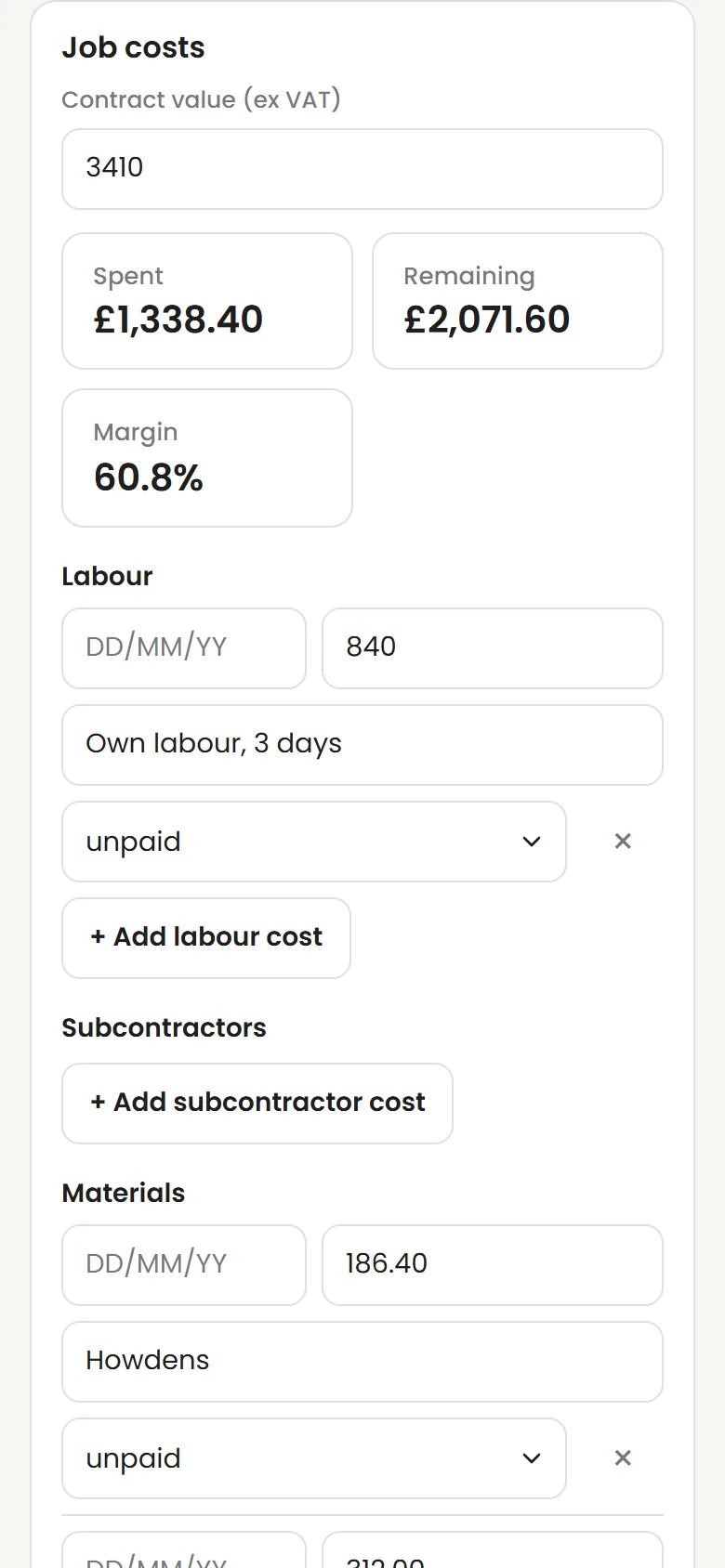
Job finishedSee what the job actually made
Labour, subbies and materials against the contract value. The margin comes from what you recorded — nothing estimated.
-
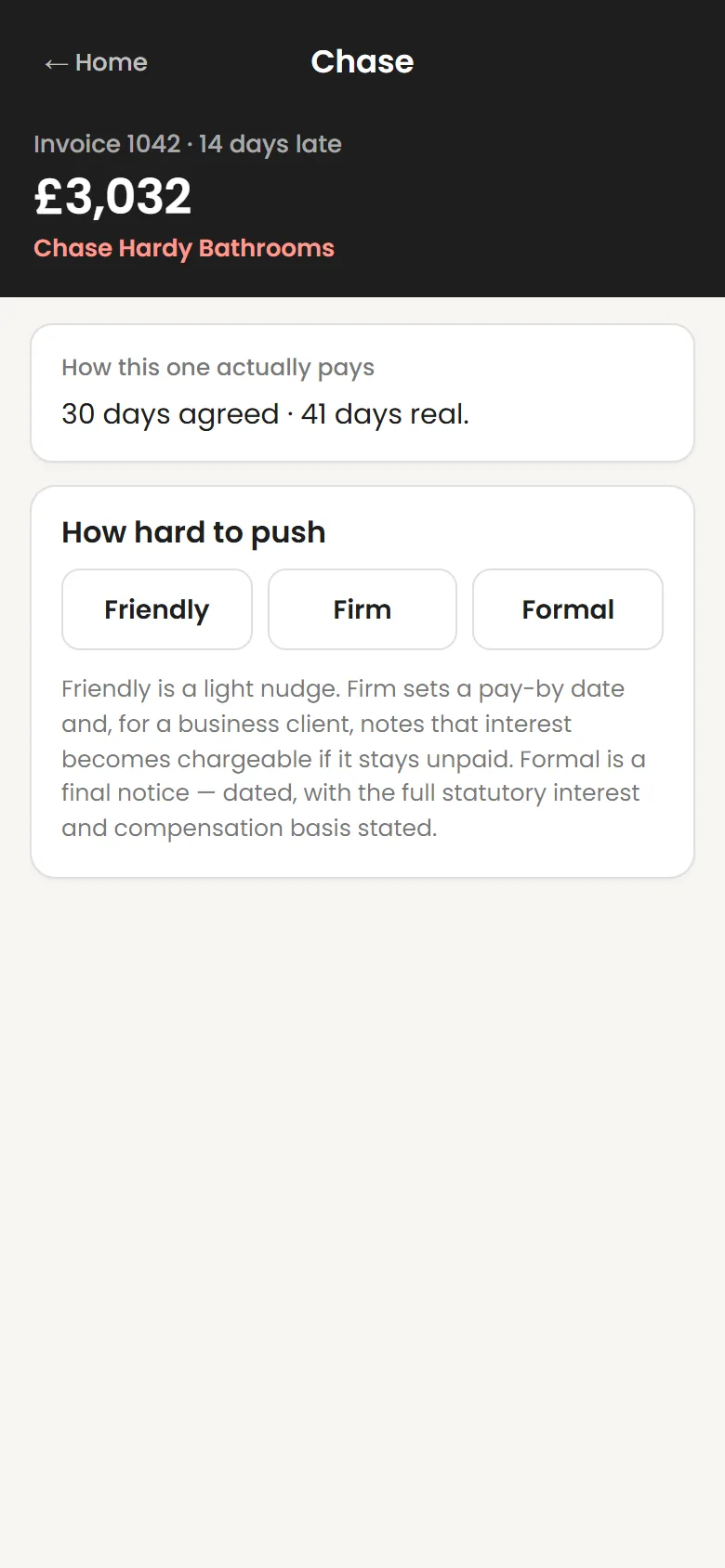
Invoice overdue
Pick a tone, read the chase, send it yourself
When an invoice goes past its terms it shows up on your home screen. Choose Friendly, Firm or Formal and read the draft before it goes anywhere.
-
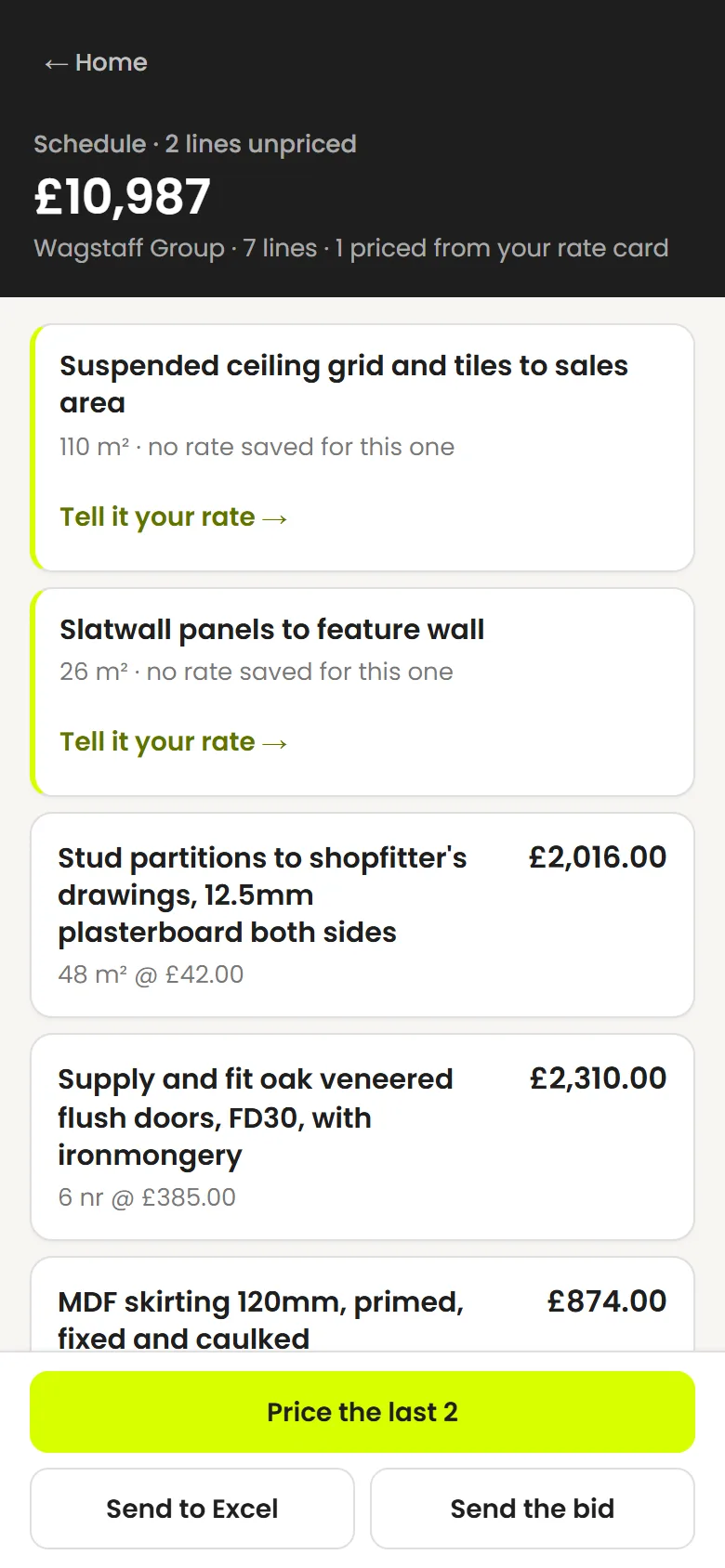
Tender scope uploaded
A priced schedule, with the gaps left honest
Upload the scope or BOQ. Lines are priced from your rates; anything it has no rate for is left blank and flagged, never guessed. Send it to Excel when it’s right.
Win the work
Quotes out the same day, not the same week
Give it the job details you already have. It prepares an itemised quote on your letterhead from your saved rates, and you check it before it goes anywhere.
- Itemised quotes from what you type, say or upload
- Your logo, business details and saved rates on every one
- Hosted quote links show when a quote has been opened
- Customers can accept or decline from the link
- Quiet quotes are surfaced for a follow-up draft
- Convert a quote to an invoice without starting again
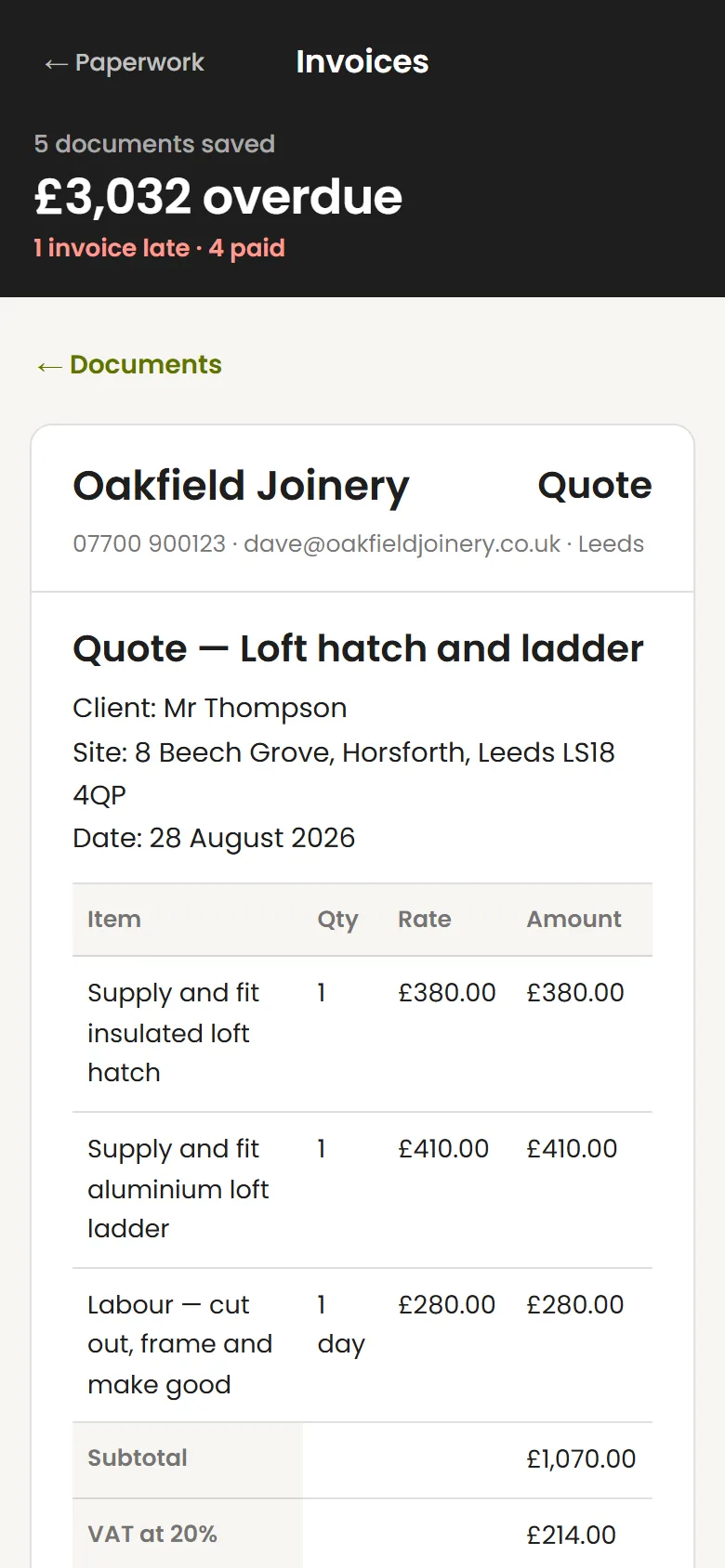
Book it in
The diary knows about the job before you do
An accepted quote turns into a job with the client and site already filled in. Give it a date and a time window and it warns you if it clashes with something else.
- Job dates with start and finish times
- Clash warnings when two jobs overlap
- Accepted quote details carried into the job
- A drafted customer message once it’s booked
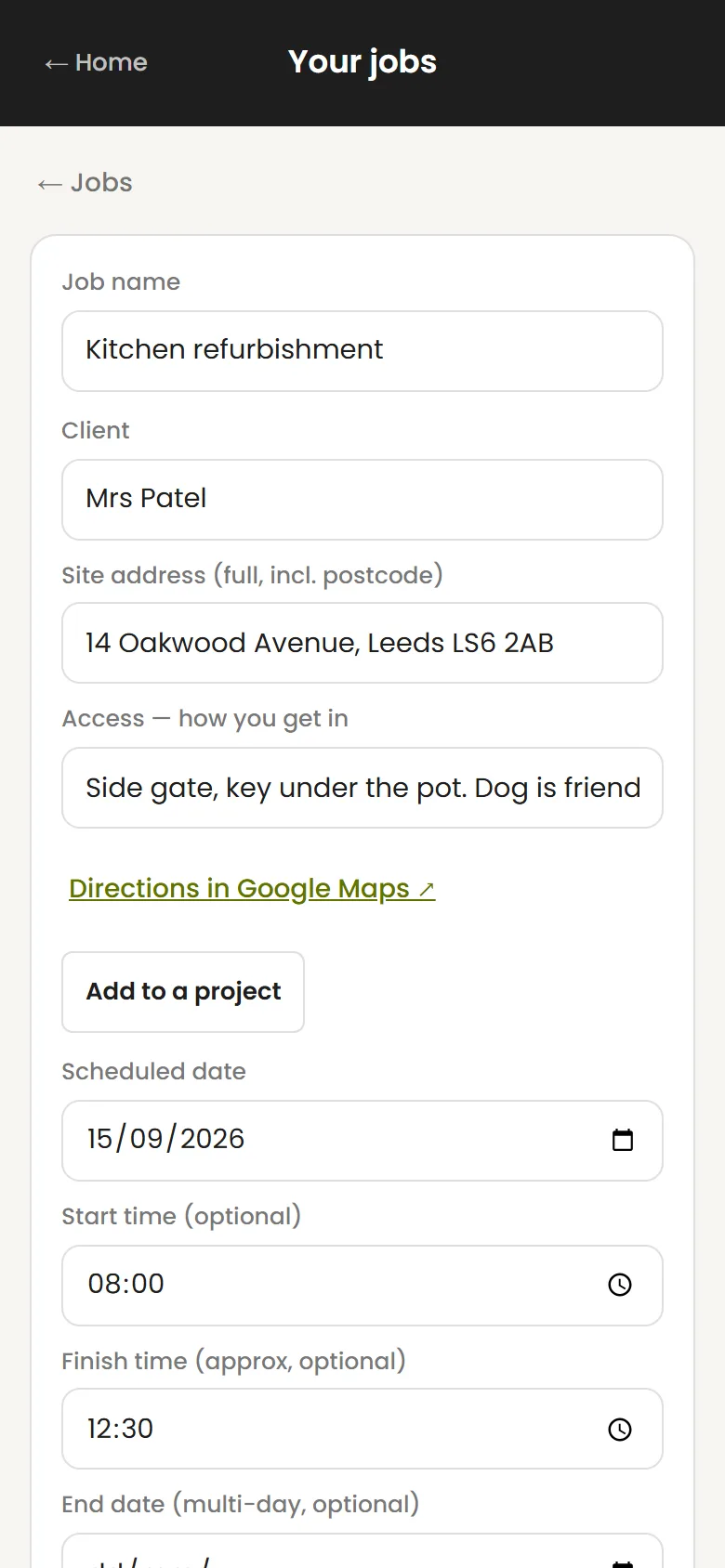
- Site address, access notes and a directions link
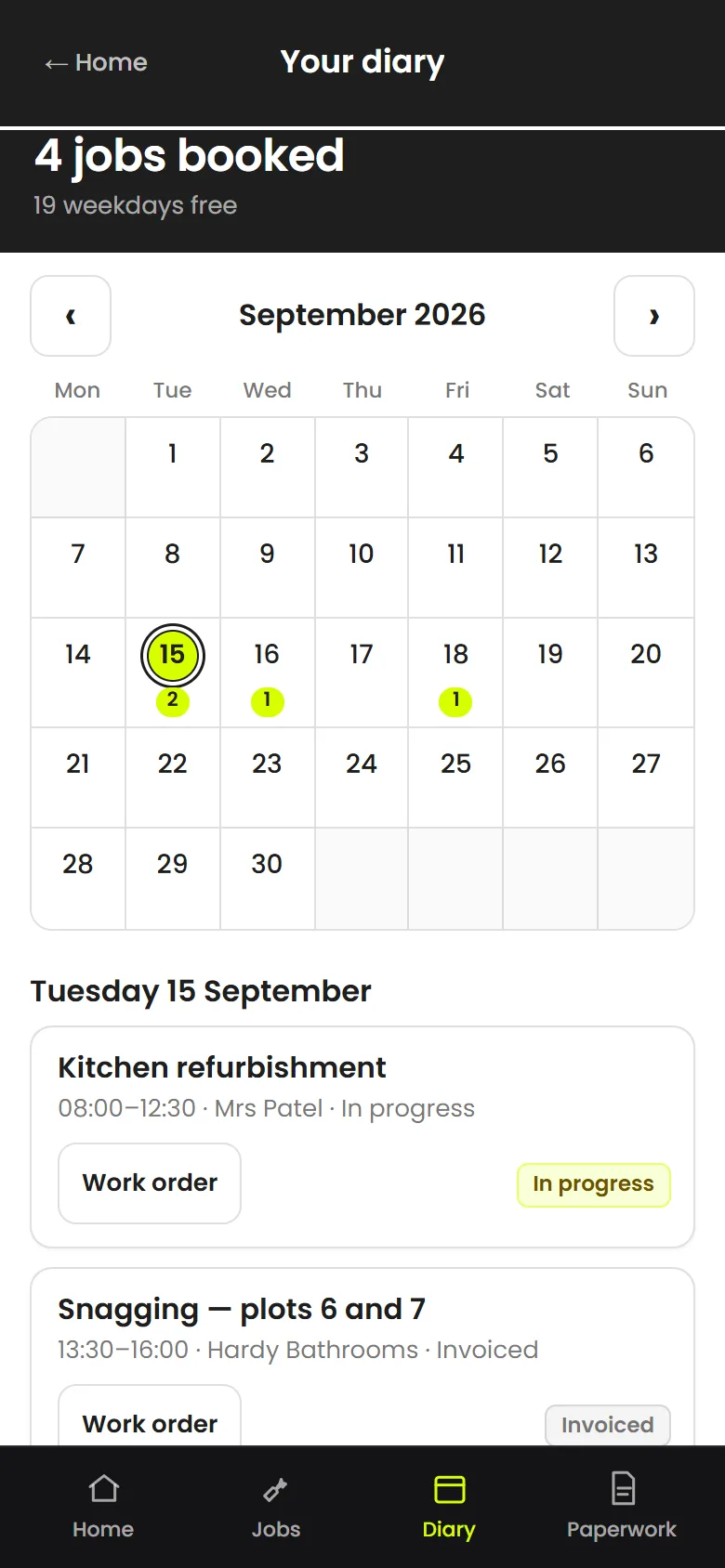
Get to the job
Ask where you’re going. Tap for directions.
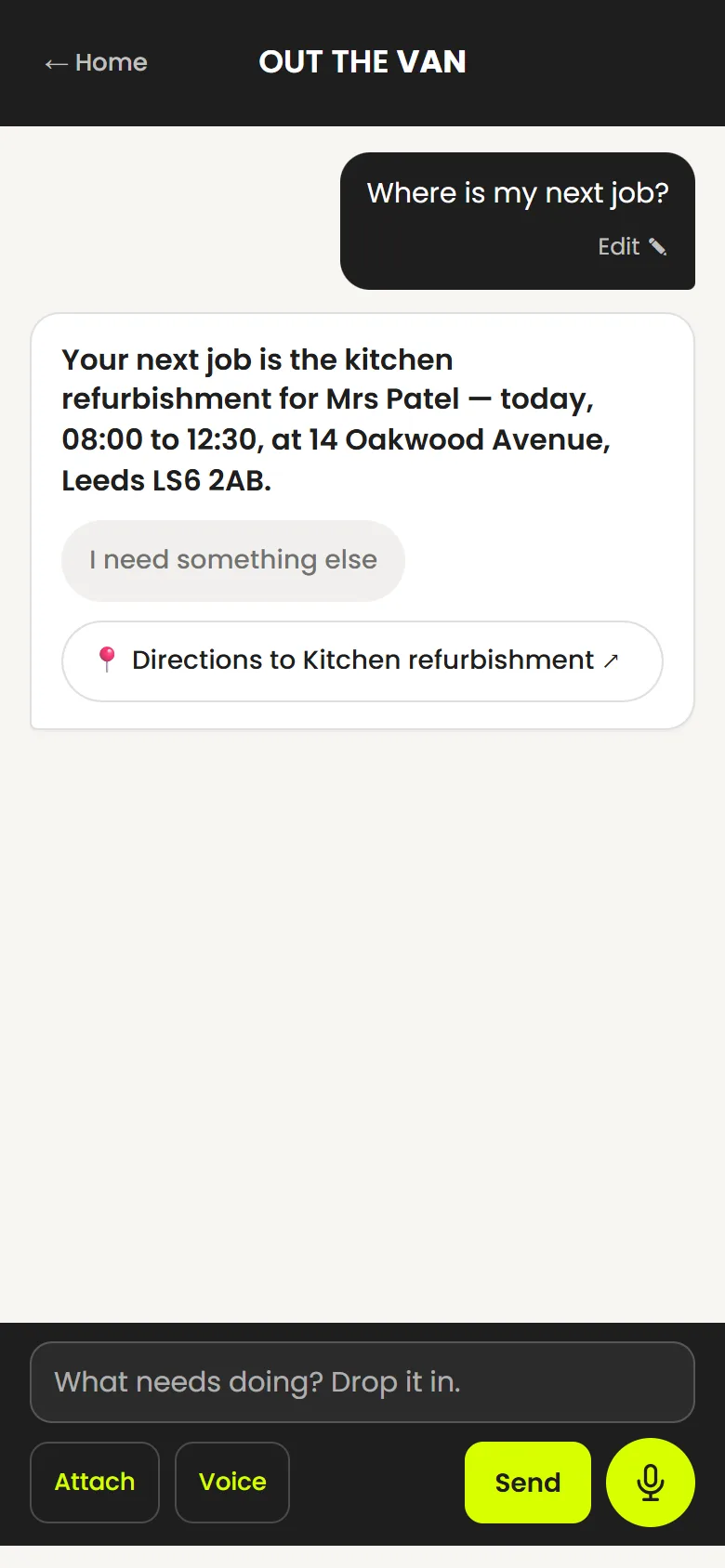
Every job carries its full site address and how to get in. Ask “where’s my next job?” by voice or text and it tells you — with a one-tap link that opens the route in Google Maps. No copying addresses out of a text thread in a lay-by.
- “Where’s my next job?” answered from your own diary, out loud if you asked out loud
- One-tap Directions link that opens Google Maps to the site
- Full site address and postcode saved on the job
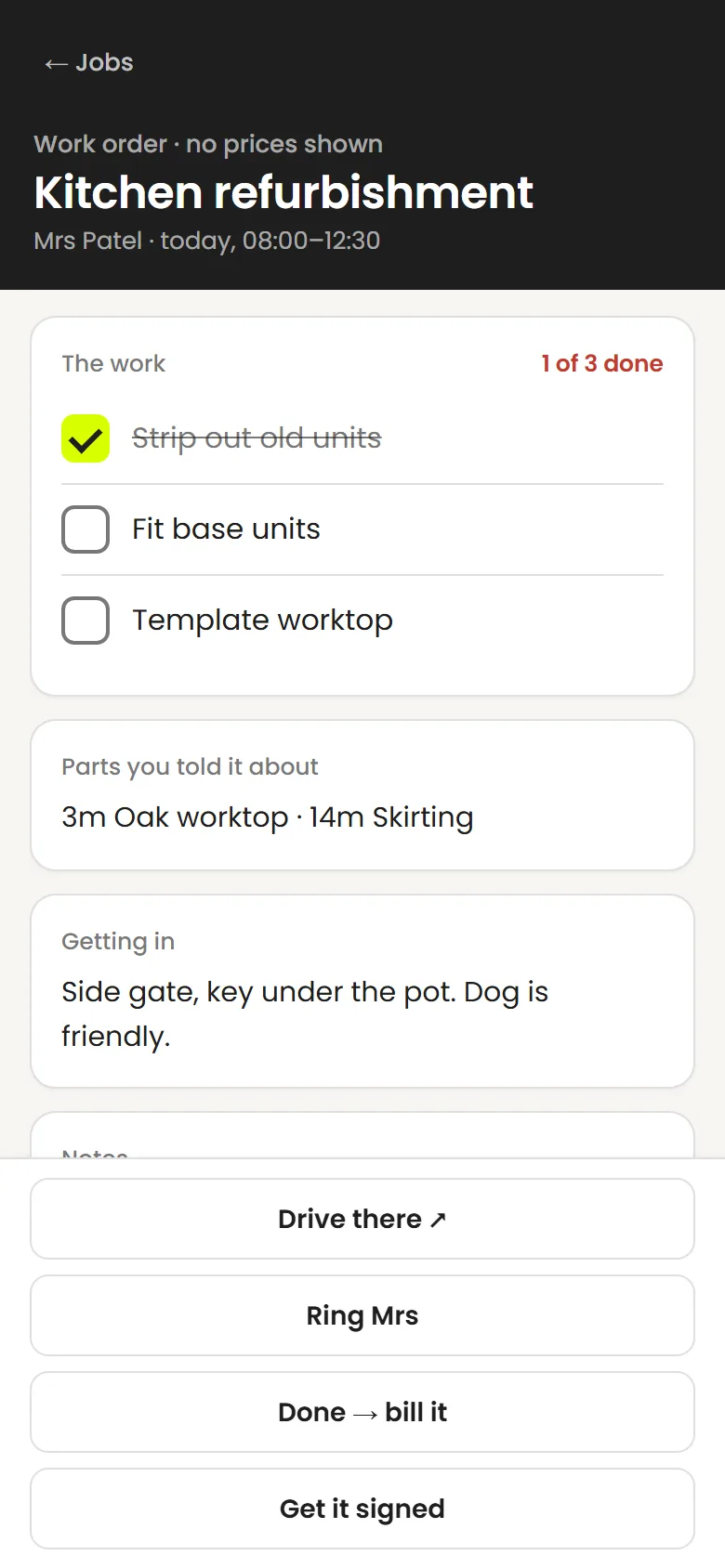
- Access notes — the gate code, the key, the dog — where you’ll see them
- “Drive there” on the work order, so it’s to hand on site
- The morning briefing lists today’s jobs in the order you’ll do them
Keep the job together
Everything about the job, in the job
Notes, photos, measurements, the work order for the day, the materials you ordered, and every cost against it. When it’s finished you can see what it made.
- Work orders and tick-off checklists for on site
- Notes, photos and marked-up measurements
- Labour, subcontractor and materials costs
- Job margin from what you recorded
- Purchase orders to your merchant, priced from your rate card — anything it has no price for is left blank, not guessed
- Receipts photographed and filed to the job
- Related jobs grouped into projects
Invoice and get paid
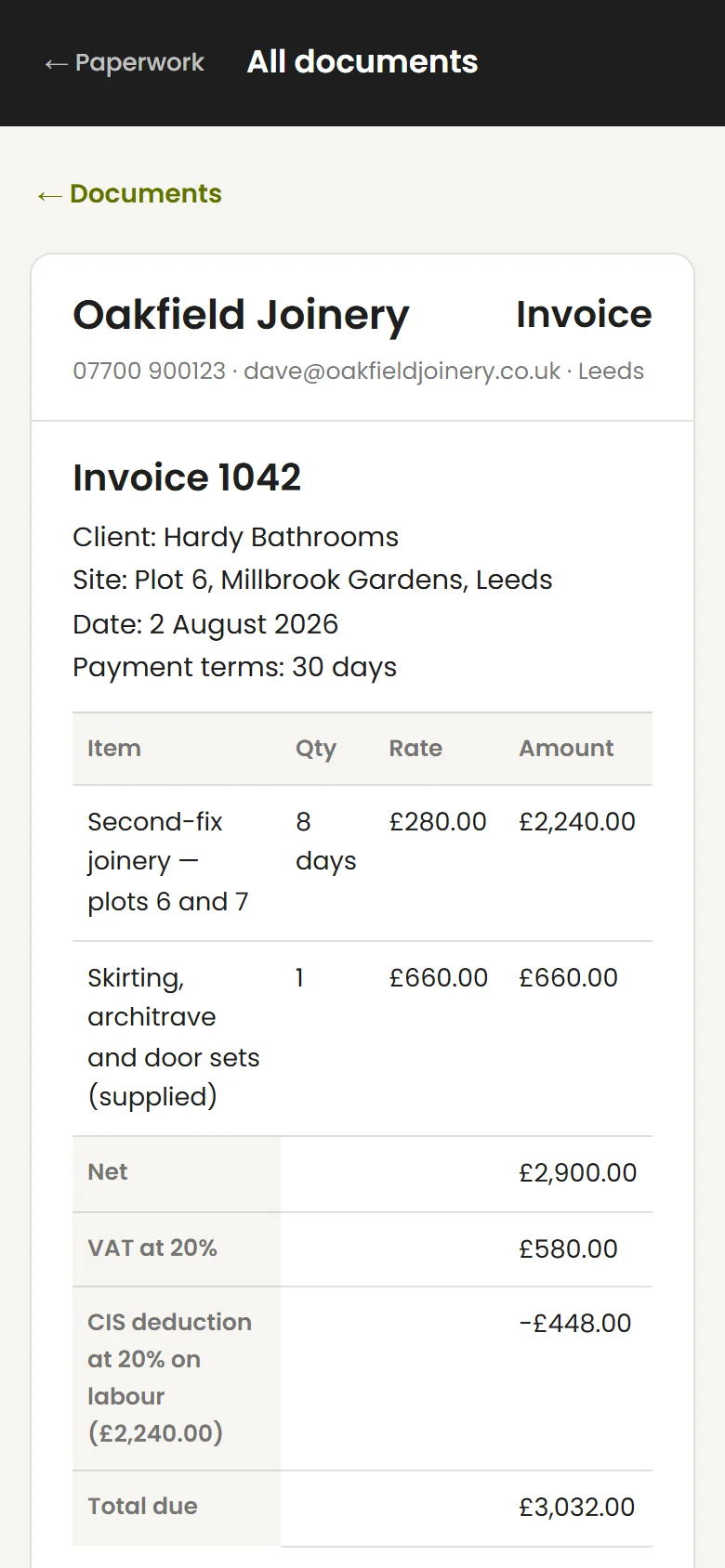
The invoice is ready when the job is
Standard invoices, CIS and VAT applied from the settings you saved, applications for payment with retention tracked from your figures. Overdue ones surface on their own.
- Standard invoices from a quote or from scratch
- VAT and CIS applied from your saved settings
- Applications for payment and retention
- Your own online-payment link on the invoice
- Overdue invoices surfaced from your payment terms
- Friendly, Firm or Formal chase drafts — you review and send them
Prove what you did
Certificates, site records and photos that stand up later
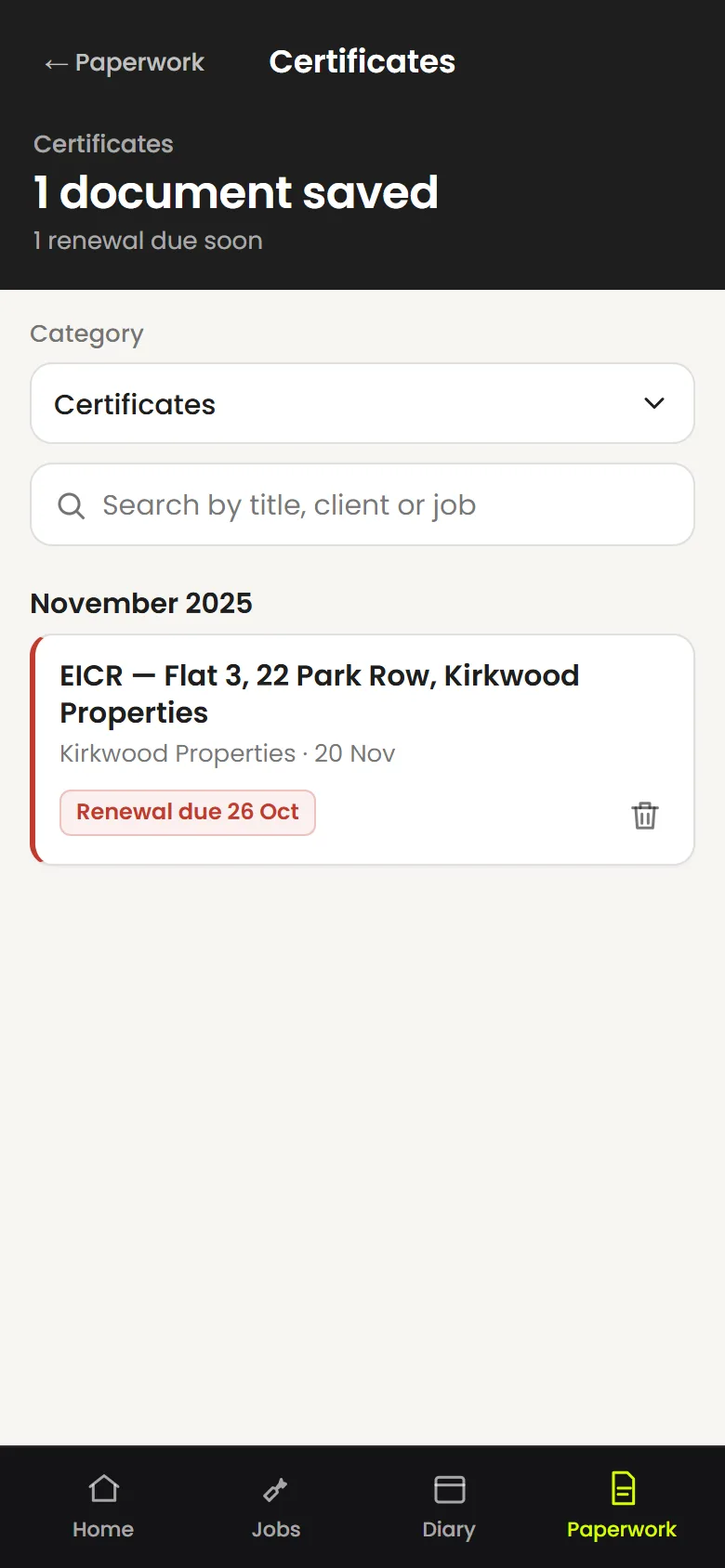
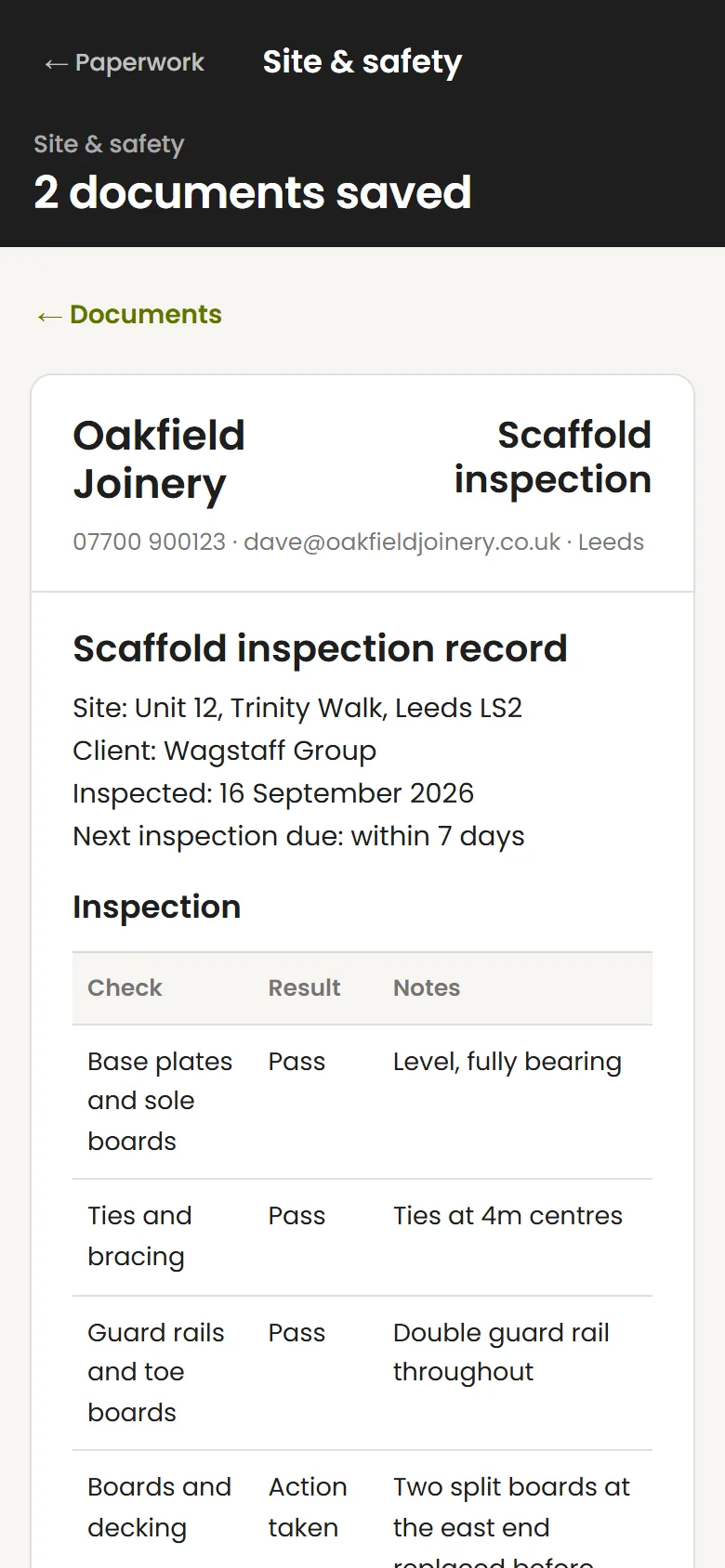
The paperwork nobody enjoys until the day someone asks for it. Certificates that remember their own renewal date, and the safety records you are supposed to keep — written properly, filed against the job, and found again in seconds.
- Certificates — EICR, gas safety, PAT and more — on your letterhead
- The next inspection date stored, and surfaced when it comes round
- Accident reports written to the questions RIDDOR asks
- Scaffold, ladder and tower, and harness inspection records
- Work orders signed on the phone, on site, and saved with the job
- All of it searchable, and every document prints or saves as a PDF
Measure it, photograph it, price it
What you took on site, ready to use
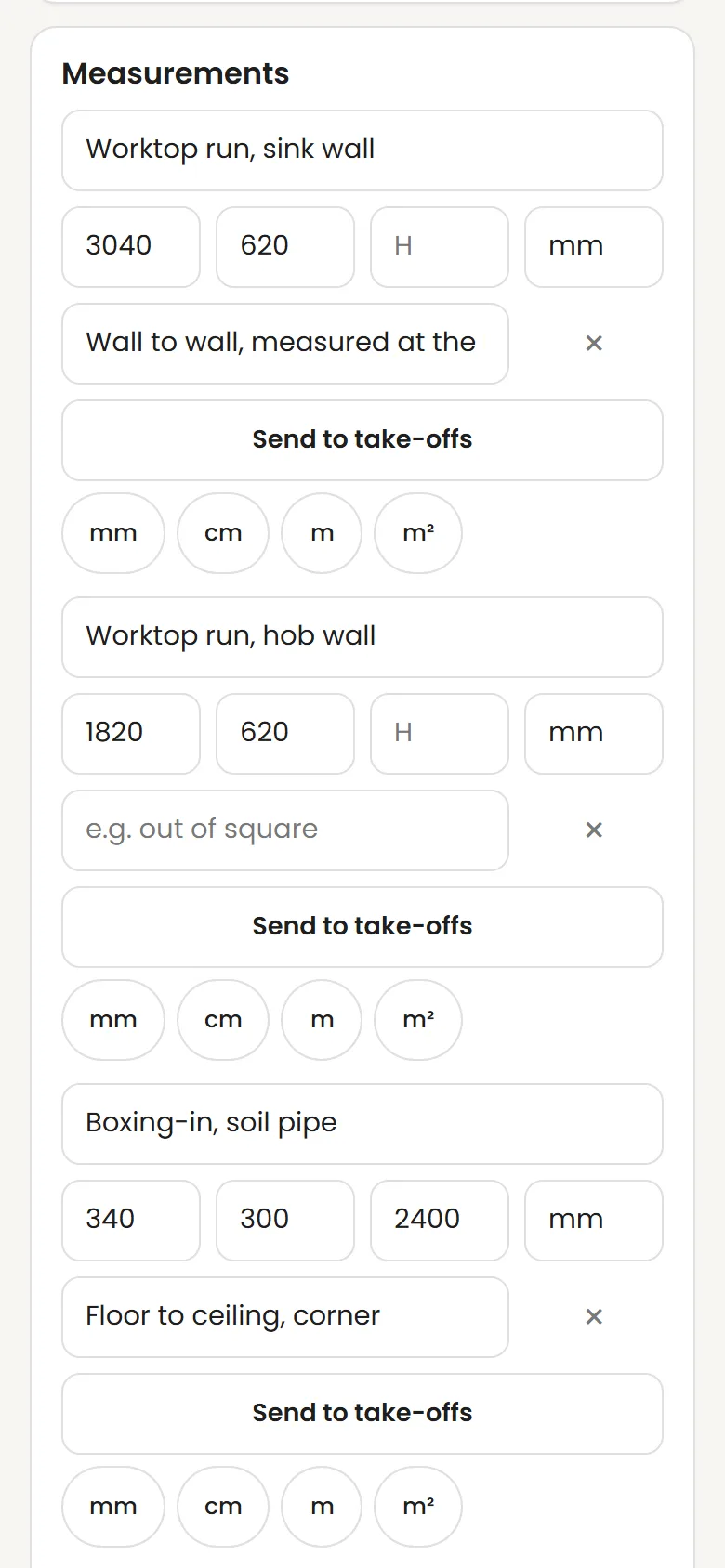
Sizes go in as you take them and photos go against the job, not into a camera roll with everything else. When it comes to pricing, the measurements are already there.
- Measurements with width, depth and height, in mm, cm, m or m²
- A note against each one — out of square, wall to wall, whatever matters
- Send them to the job’s take-offs, then ask for a quote off the back of them
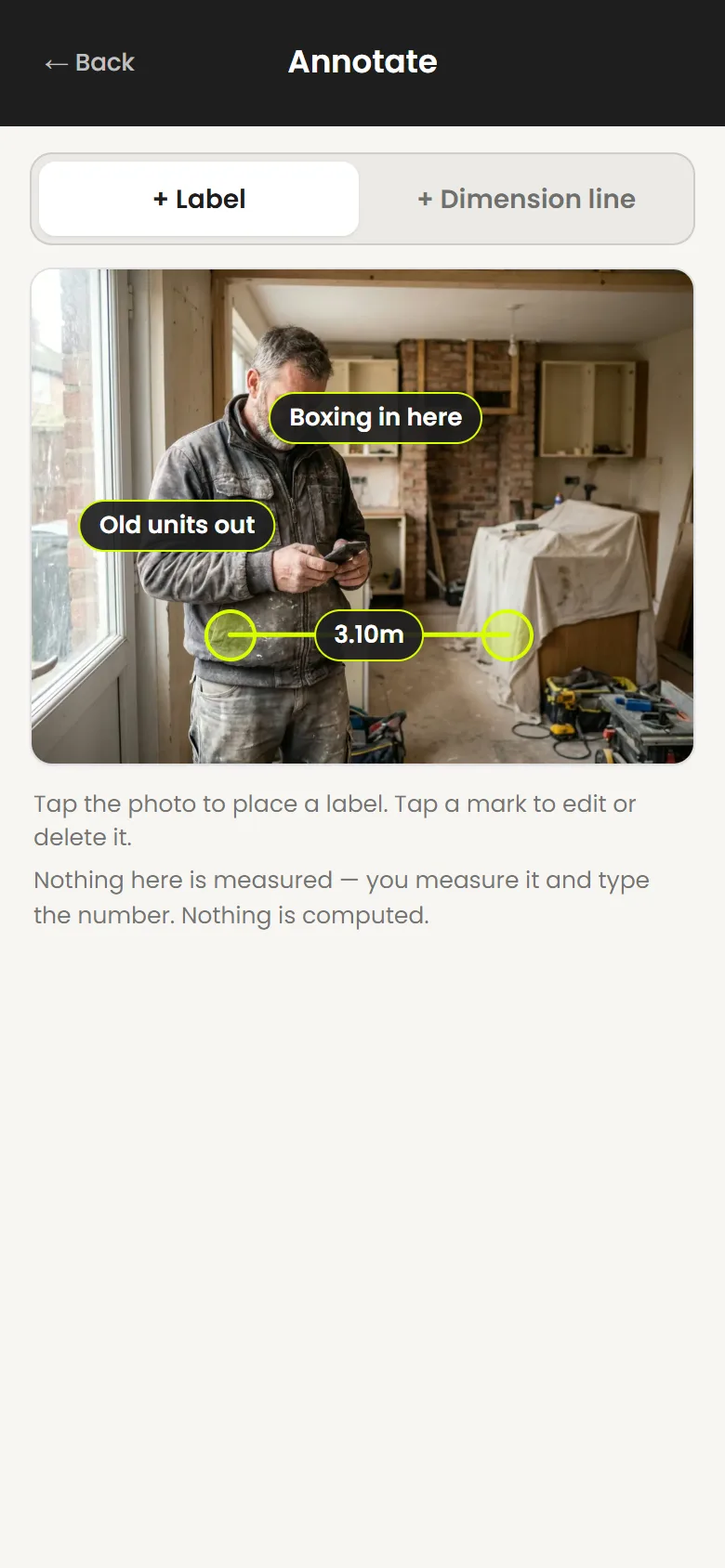
- Photos filed against the job, before and after
- Mark a photo up with labels and dimension lines from your own figures
- Marks sit alongside the photo — the original is never drawn on
Bring customers back
Repeat work that doesn’t rely on memory
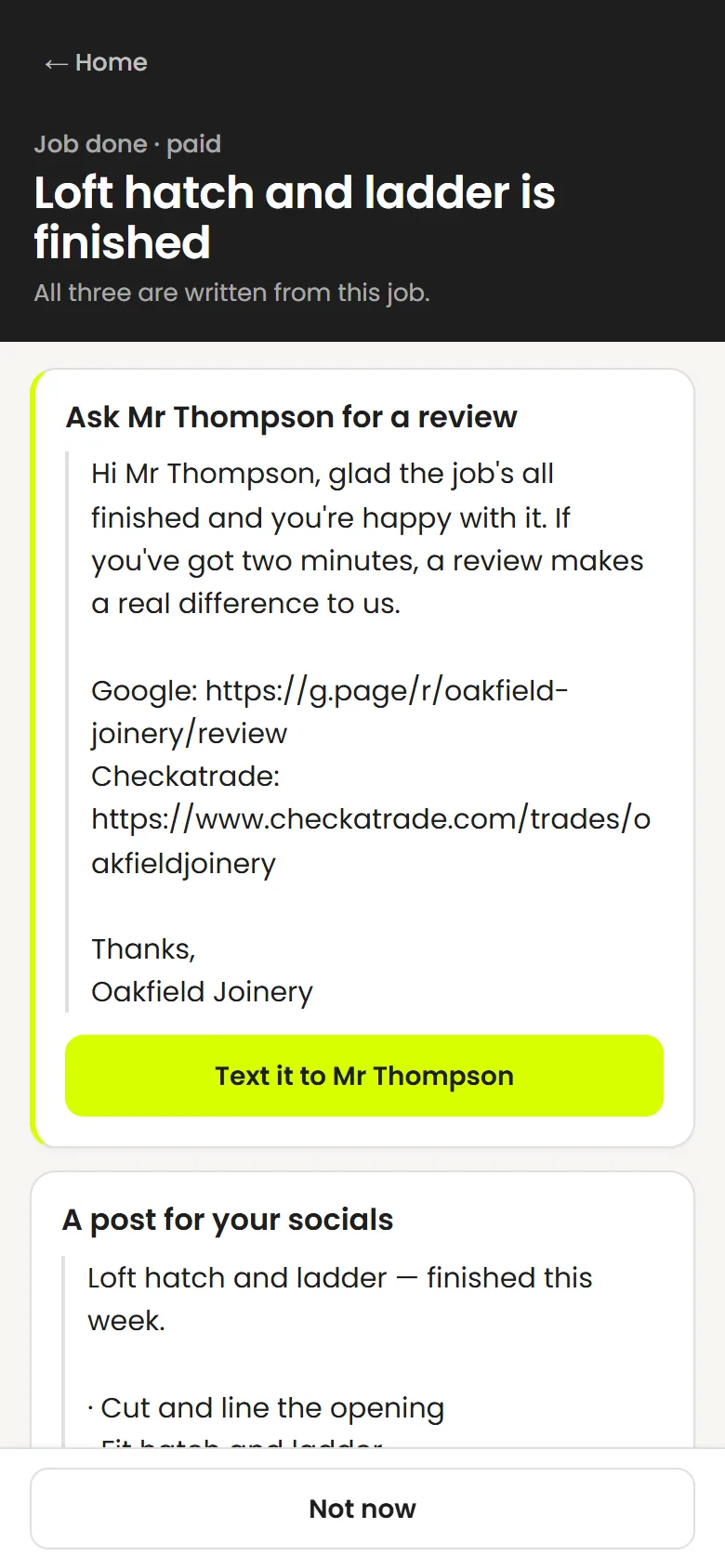
Annual services and certificate renewals come round on their own. Reviews, referrals and a social post are drafted from the job you just did — you decide what goes out.
- Service reminders and certificate renewal dates
- Rebooking messages drafted for you to send
- Review requests using your own review links
- A referral nudge after the job
- Social post drafts from recorded work and job photos
- Review links for Google, Trustpilot and Checkatrade, whichever you use
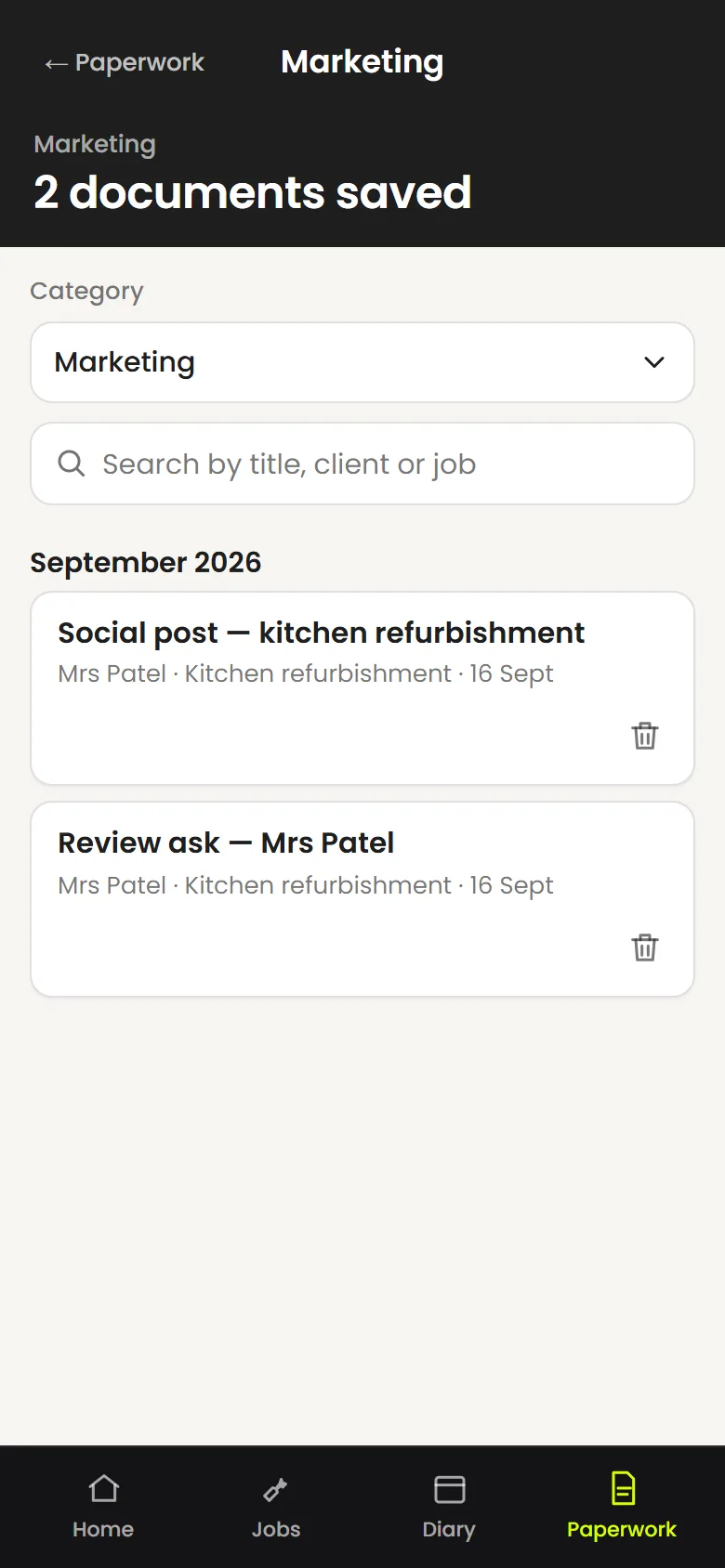
- Everything it drafts is filed under Marketing, ready to reuse
Know the numbers
What’s owed, what’s late, what it made
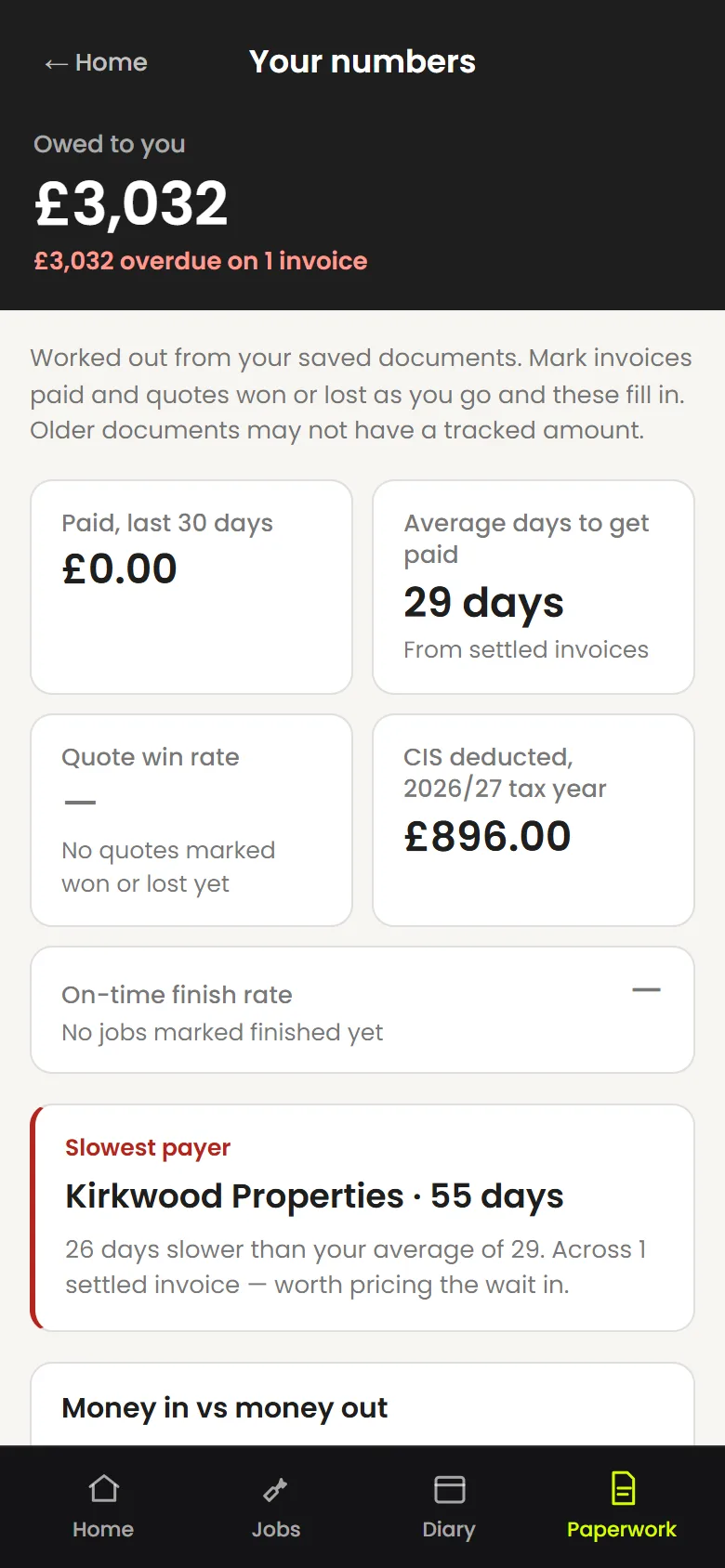
Owed, overdue, invoiced and CIS totals from your records. Ask it a question in plain English. Export what your accountant needs.
- Owed, overdue and invoiced at a glance
- CIS deducted this tax year
- Job margins and charts from your records
- Ask questions about your own numbers
- Search across documents, jobs and clients
- Accountant, Xero, QuickBooks and FreeAgent CSV exports
Never miss a call
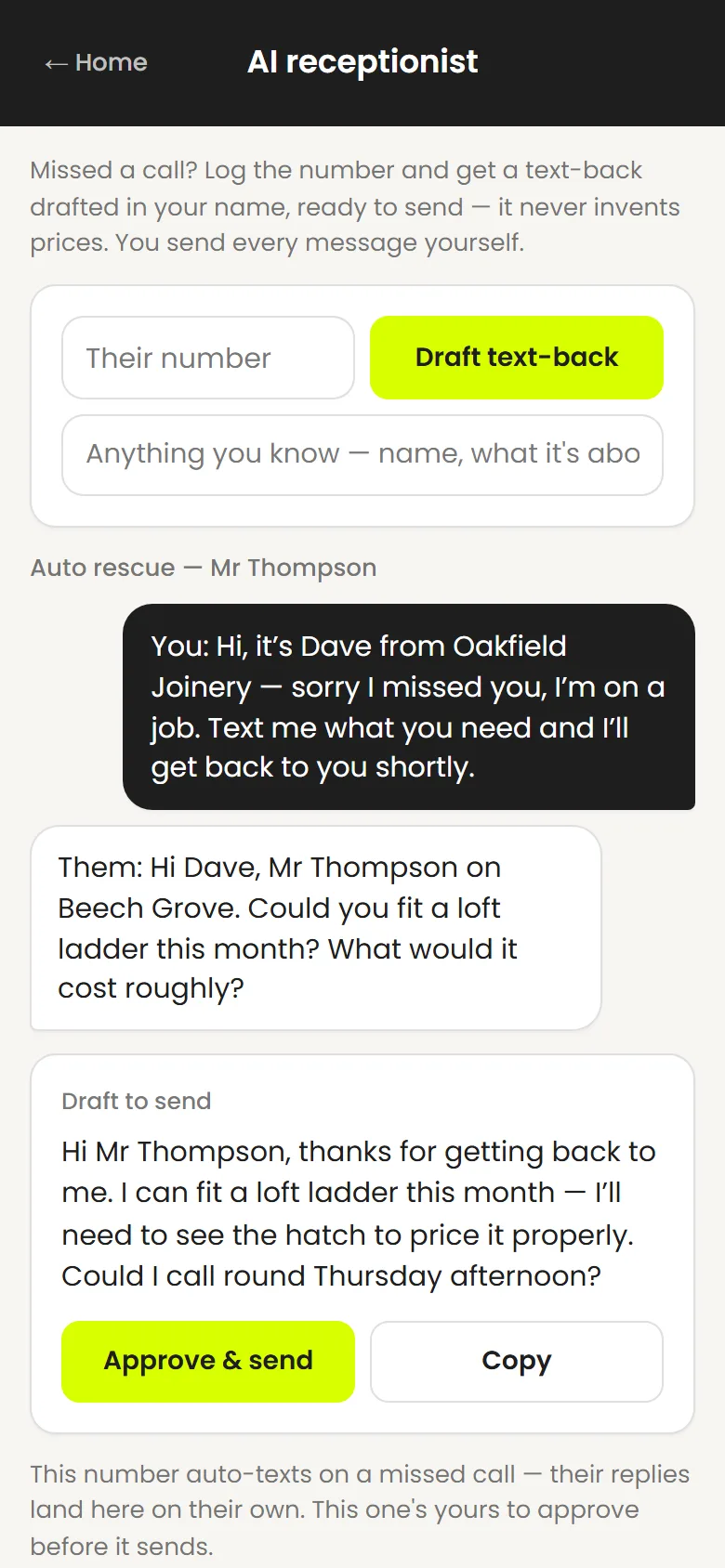
The call you couldn’t take gets a text straight back
Divert your unanswered calls to your Out The Van number and the caller gets a first text-back automatically — in your name, while you’re still up the ladder. When they reply, a response is drafted for you to read and send. It never answers the phone, and it never quotes a price on your behalf.
Every screen
Have a proper look round
Genuine screens from the app, with demonstration data. Tap any of them to see it full size.
Walkthrough
See a job turn into finished paperwork
A real recording of the app, start to finish. No sound until you press play.
Control
It prepares. You decide.
A quote with a made-up price is worse than no quote. So the rules are simple.
- Your information
It works from what you give it
Your rates, your business details, the job as you described it or uploaded it. It doesn’t pull prices from anywhere else.
- Missing details
It asks, or it leaves a blank
No rate for a line? It says so and leaves it empty. No customer name? It asks. It doesn’t fill gaps with guesses.
- Your figures
You check the numbers
Every total, every VAT line, every CIS deduction is there to be read before it goes. Change anything you like in place.
- Your name on it
You stay in charge of what customers get
Quotes, invoices, chases, messages and posts are drafts until you send them. The only thing that sends itself is the first missed-call text-back, and only if you’ve set that up.
Everything it prepares is saved to your account and searchable — documents, jobs, clients, receipts and photos — so the paperwork is where you left it, not in a WhatsApp thread.
Pricing
One plan. Everything in it.
Use the full product for 30 days. Continue for £29 a month or cancel inside the app.
Out The Van
After your free 30 days.
- 30 days free
- No card required
- Everything included
- One plan, no tiers
- Cancel inside the app
30 days free, no card. Fair-use limits apply to document generation.
About
Built by someone who has done the paperwork
Out The Van comes from the back office of a trade business — the desk where the quotes, invoices, health and safety records, marketing and chasing all landed after the tools were put away. Years of it.
What that job teaches you is how much essential admin sits behind every finished job, and how little of it anyone enjoys. Out The Van was built to get that paperwork done properly, from a phone, without a trade business having to learn an office system to do it.
It isn’t built by a tradesperson. It’s built by the person who did their paperwork.
- QuotesWritten up from notes, drawings and phone calls
- InvoicesRaised, sent, chased — CIS and VAT included
- TendersPriced schedules against scopes and BOQs
- H&SRecords kept and inspections logged
- MarketingThe reviews, the posts, the follow-ups
Who it’s for
One person running a trade business
Domestic and commercial work. Firms that use subbies but don’t need staff logins. It isn’t tuned to one trade — it works from your rates and what you tell it.
- Joiners
- Plumbers
- Electricians
- Roofers
- Decorators
- Heating engineers
- Plasterers
- Kitchen fitters
- Builders
- Landscapers

Who is Out The Van for?
People running a UK trade business — joiners, plumbers, electricians, roofers, decorators and other trades — usually one person, sometimes with subbies. It’s built for the admin that follows a job home: quotes, invoices, the diary, receipts, chasing and tender paperwork.
Do I need to install it from an app store?
No. Out The Van is a web app. Open it in your phone’s browser and add it to your home screen — it then opens full-screen with its own icon. It isn’t on the App Store or Google Play.
Does it send documents without me checking them?
No. Quotes, invoices, chases, customer messages and posts are prepared for you to check. You make any changes and you choose when they go. The one exception is the first missed-call text-back, which only sends if you’ve set up call diversion to your Out The Van number.
Can it help with CIS and VAT paperwork?
Yes. Save your VAT and CIS settings once and they’re applied to your invoices and applications for payment. It also keeps a running total of CIS deducted this tax year. It doesn’t file anything with HMRC.
Can it connect directly to accounting software?
Not as a live link. It produces CSV exports for your accountant, and in the formats Xero and QuickBooks import. There’s also a FreeAgent accountant-entry CSV. None of these are a live integration.
Does Out The Van take customer payments?
No. It puts your own online-payment link on an invoice if you have one, and it tracks what you’ve marked as paid. Money goes straight to you, not through us.
What happens after the 30-day trial?
You decide. Carry on for £29 a month, or cancel inside the app. There’s no card on file during the trial, so nothing is charged unless you choose to subscribe.
Can I cancel inside the app?
Yes. Your account screen has a cancel button. No phone call, no form.
Can it answer my phone calls?
No. It doesn’t answer voice calls. If you divert unanswered calls to your Out The Van number, the caller gets a first text-back automatically. Any replies after that are drafted for you to read and send.
Can I raise purchase orders?
Yes. Say what you need and who from, and it prepares a purchase order on your letterhead — supplier, deliver-to address, the items with quantities, and the order total. Anything it has no price for is left blank and flagged rather than guessed. An order is money going out, so it never counts towards what you’re owed and never appears in your accounting exports of sales.
Can I use it for tender paperwork?
Yes. Upload the scope of works, BOQ or drawing pack. It prepares a priced schedule from your supplied rates, leaves any line it can’t price blank and flags it, and exports the schedule to Excel.
What happens if information or a price is missing?
It asks you, or it leaves the line blank and tells you. It doesn’t invent a price, a date or a detail to fill a gap.

Finish the job. Get the paperwork moving.
Start 30 days freeNo card. Then £29 a month, everything included.